GitHub’s AI Scan for pull requests is generally available, and the findings do not block a merge
GitHub Changelog, Thursday: AI Scan for pull requests is generally available. It complements CodeQL on PHP, Shell/Bash, Terraform/HCL, Dockerfiles, JSP and Blazor. Findings are advisory. They do not fail the code-scanning check, and they do not run on forks or Dependabot pull requests. A Copilot license is not required.
Short2 minEasy
Eli Navarro2 min read
- GitHub
- Code scanning
- Security
- Copilot
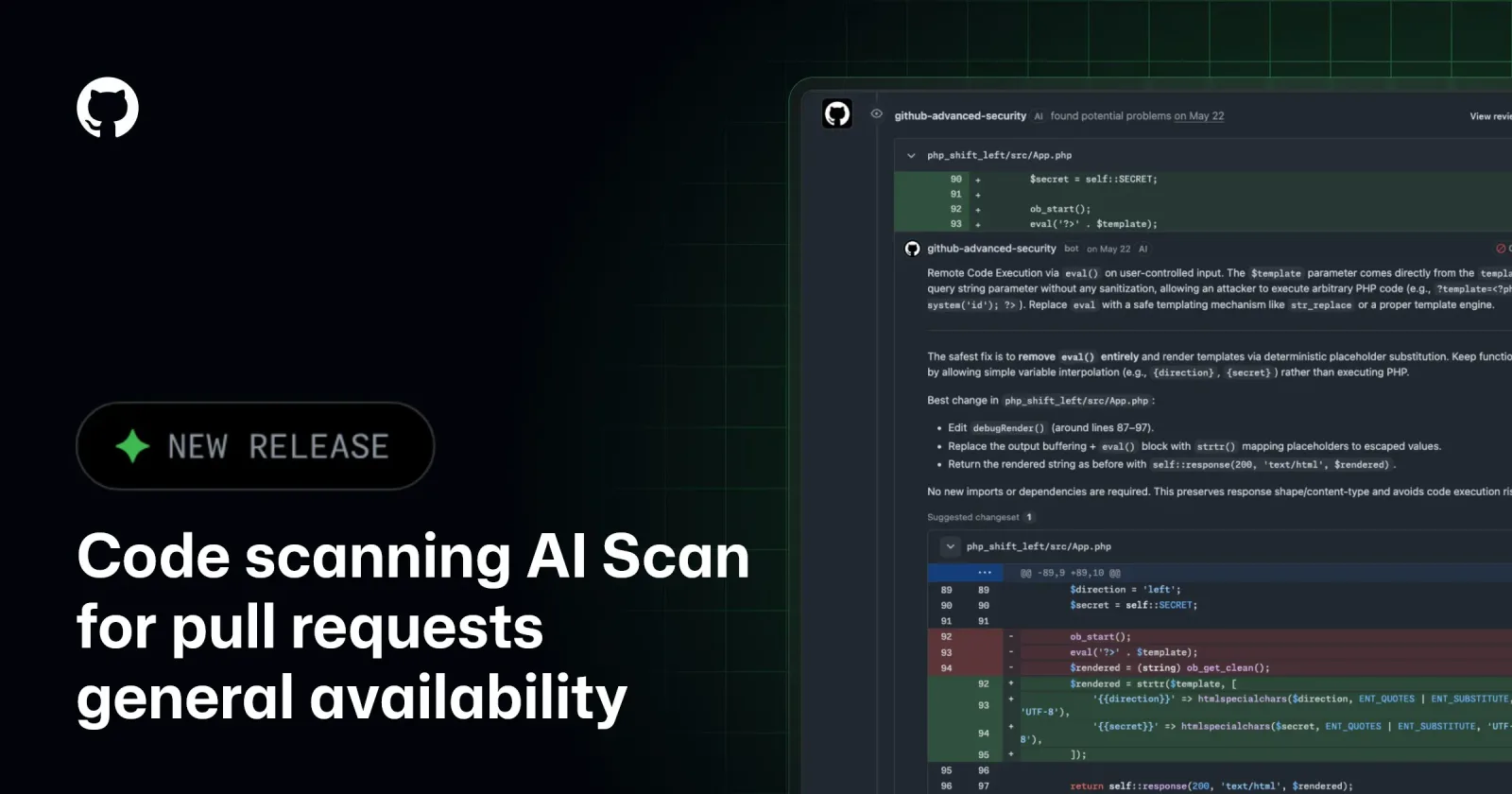
Photo: GitHubSource page
GitHub on Thursday said AI Scan for pull requests is generally available. The changelog, dated 15 October, says the scan complements CodeQL by looking for vulnerabilities in pull-request changes in languages and frameworks CodeQL does not currently cover, including PHP, Shell/Bash, Terraform configuration in HCL, Dockerfiles, JSP for Java and Blazor for C#. Findings appear beside CodeQL results on a pull request’s Conversation and Files changed tabs, marked with an “AI” indicator. They can include an explanation of the risk and a suggested autofix. GitHub’s docs say most findings also include a suggested remediation, and that Copilot Autofix can recommend a code change when one is available.
The findings do not stop a merge. GitHub says they are advisory: they do not fail the code-scanning check, and they cannot block a pull request through ruleset requirements. AI Scan does not run on pull requests from forks, or on pull requests Dependabot opens. It does not produce backlog alerts in a repository’s security view. A scan runs when code scanning is enabled, the repository’s AI Scan setting is on, and the pull request changes a supported language or framework. It does not need CodeQL’s default setup, and GitHub says it still runs if CodeQL fails or is waiting. It does not need a Copilot license. The docs say the engine analyzes the pull request without a build system, may use code search for more context, and does not read custom instruction files such as a Copilot instructions file or CLAUDE.md. They also say findings can include false positives, and that a thumbs-up or thumbs-down control is how a developer reports one.
Who can turn it on depends on the repository. Public repositories owned by an organization or a personal account can use it. Private and internal repositories owned by an organization need GitHub Code Security or GitHub Advanced Security. Private repositories owned by a personal account cannot. Enterprise owners can allow or prevent organizations from enabling it. GitHub’s docs say that enterprise policy is set to “Not allowed” by default, and that allowing the feature does not switch it on. Usage is billed as Code Security AI Credits, shown in enterprise billing under the Advanced Security product. If a hard budget leaves no credits, GitHub says, AI Scan cannot produce findings until an administrator raises the budget or a new billing cycle begins.