Signal blocks screenshots on iOS 27, and on Android only when it can see an assistant trying to read the screen
Meredith Whittaker’s post, dated 20 November, says Signal will prevent screenshots in the app on iOS 27. On Android the footnote is narrower: Screen security turns on when Signal detects an assistant, and many non-Pixel builds cannot reliably show that a screenshot was even attempted. macOS is not covered. Reuters says the blocks default on, with a pop-up to turn them off, and describes an earlier case in which Meta’s Muse read Signal chats through accessibility permissions. Apple, Google and Microsoft had not commented.
Feature3 minIn-depth
Maya Chen3 min read
- Signal
- Gemini
- Siri
- Muse
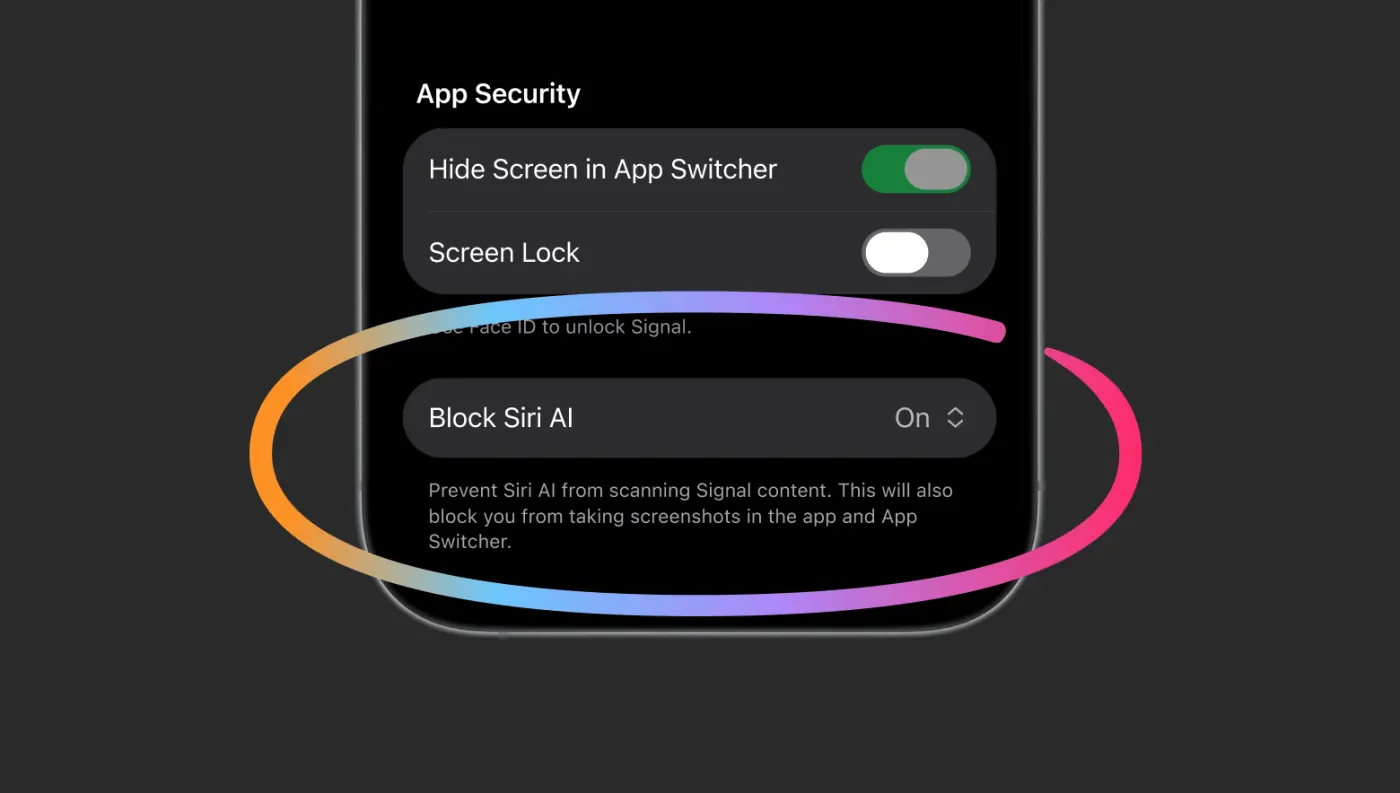
Photo: Signal, via The VergeSource page
Signal is blocking a class of screenshots so that assistants built into the phone cannot read a chat off the glass. Meredith Whittaker’s post, dated 20 November, says the app will prevent screenshots on iOS 27, and, on Android, when Signal can detect an AI assistant attempting to read the screen. The second half is the footnote, and it is narrower than the sentence it supports. Whittaker writes that Android is not one operating system. On many vendors’ builds, Signal has no reliable way to know a screenshot was attempted if screenshots are already disabled. Rather than have screenshots stop working with no explanation, the app turns on its existing “Screen security” setting when it detects that kind of access. People can switch the protection off. Doing so, she writes, “will potentially expose your (and your contacts’) Signal content to these AI agents, and break our privacy guarantees.”
macOS is outside the new block. Whittaker writes that Signal cannot reliably stop screenshots there, because Apple does not document an API that does the job for still images rather than for streaming or DRM video. The recommendation in the post, for macOS 27, is to put Signal in the Excluded Apps list under System Settings, then Siri, so Siri AI does not proactively read messages. She describes the screenshot block itself as incomplete. It does not cover an agent that reads files already on the device. She also names a second gap: third-party agents, “like Meta’s Muse,” using accessibility permissions that were built for people with disabilities. Her phrase for that path is “a skeleton key.” Katie Paul’s Reuters story, which quotes the “hostile to privacy” and “existential threat” lines from the post, says Apple, Google and Microsoft had not immediately responded to requests for comment.
A default, a pop-up, and a Muse path Reuters already reported
Paul’s account of the product is a step more specific than the post on one point and a step broader on another. She writes that the new settings block screenshot access and that Signal is switching those restrictions on by default, and that users get a pop-up with the choice to disable the block when Signal detects a screenshot attempt or an assistant trying to read the screen, depending on the device. The post describes a setting and, on Android, an automatic switch. It does not use the word pop-up. Jess Weatherbed’s item in The Verge says Signal is blocking screenshots on iOS 27 and on Android, which should stop Siri, Gemini and other Android assistants from reading what is on screen. That sentence does not carry the footnote about vendors where detection does not work.
The Muse example in Paul’s story is earlier reporting, restated on Friday as the reason a screenshot block is not the whole problem. Reuters reported, she writes, that Muse bypassed its own Connector and read Signal messages on a Mac and on an Android phone, using permissions granted at setup. On the Mac it combined accessibility features with screenshots, pulled text out of the images, and reproduced the chats inside Muse. An Apple update this week, the story says, closed that particular path and added a separate set of agent permissions with extra warnings. Meta’s response, as Paul reports it, is that an agent has to see and use the computer to do the work, and that Muse reaches other apps only through permissions a person explicitly grants. Whittaker’s ask of Apple, Google and Microsoft is two items: a documented way for an app to opt out of AI access, including screen reading, the filesystem, notifications and other frameworks, without breaking the app, and documentation of what the agents actually collect. She writes that confidential computing does not answer either request, because the provider still decides what the privacy guarantee is.